How to Reschedule Appointment

Contents
Introduction
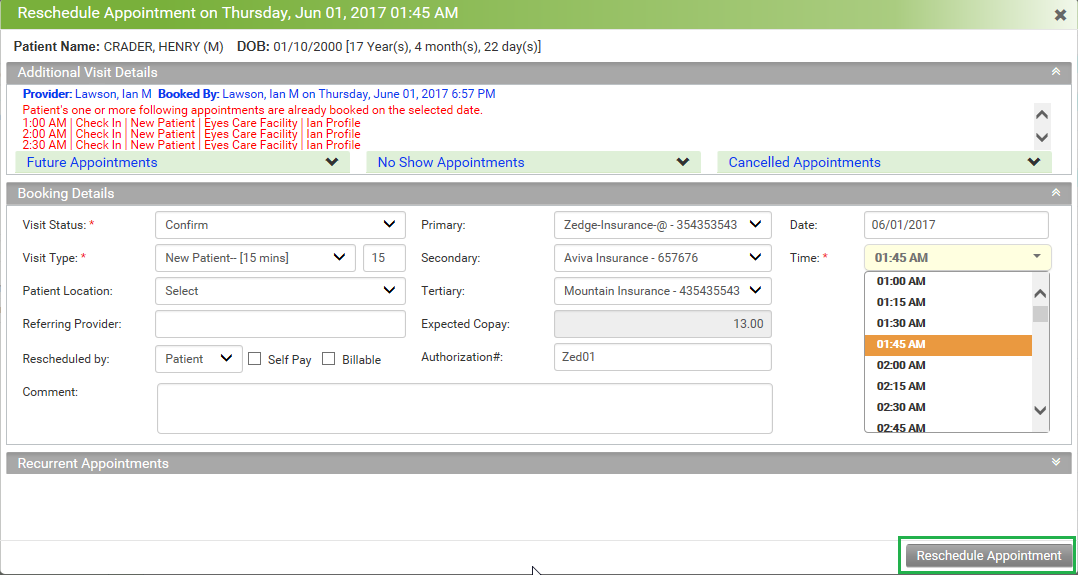
The booked appointments can be rescheduled in case of any change in physician’s or patient’s schedule.
Rescheduling appointments
| 1. | On the left menu items, click Scheduler. |
| 2. | Click the Reschedule icon  for an appointment to be rescheduled to some other day. You cannot reschedule appointment for the checked-in visits. for an appointment to be rescheduled to some other day. You cannot reschedule appointment for the checked-in visits. |
| 3. | Enter or select the date to reschedule the appointment (if required.) |
| 4. | Select the new time slot from the list. |
| 5. | Click the Edit Appointment button to save the changes. |